Introduction
Threat hunting doesn’t fit neatly into a software team’s sprint. Hunts start from a hypothesis, some of the work needs approval before anyone touches a network, and the team’s week is already full of battle-rhythm meetings, leave, travel and holidays. Though a lot of that work ended up being planned the same way a lot of teams do: spreadsheets, whiteboards, slide decks for leadership, and a general-purpose ticketing tool bent into shape.
When working in that environment, and not to say its wrong, but my planning and iterative process breaks down as I lose the historical knowledge of the whiteboard or an abandoned spreadsheet. I wanted to set out to develop, albeit heavily supported by claude, a tool that was easily deployed and answered all the management and planning questions/issues I had.
The commercial tools can do a lot, but none of them spoke the language. Getting them close took a lot of configuration, licensing them was a fight, and running them on a closed network was harder still (accreditation can slow this). So I built the tool I wanted: Agile Hunt Ops (AHO). It’s open-source, self-hosted, and deploys with one command. I know the example isn’t showing much, but hey not going to share all my plans with you!
Problem Statement
My planning was spread across too many places, and none of them understood how a hunt team actually works:
- My concepts were bolted on. Lines of Effort (LOEs), approval tiers, hunt card types and battle-rhythm events all lived in naming conventions and custom fields that people forgot to fill in.
- Approvals happened outside the plan. Work that needed sign-off got approved in email or chat, so the board never showed what was waiting on whom, or for how long.
- Capacity was a guess. Sprint planning didn’t account for leave, travel, appointments or holidays, so I regularly over-committed.
- Reporting took manual work. Leadership updates meant exporting data and rebuilding the same charts every sprint.
- Commercial tooling was the wrong shape. Per-seat licensing, cloud-first hosting and plugin sprawl are all hard to justify for a small team. They’re even harder on a network that can’t reach the internet.
What I wanted: a single place where the plan is the work, built around how hunt teams operate. It should be cheap to run, free to share, and simple enough that the team can stand it up without a dedicated admin.
Solution
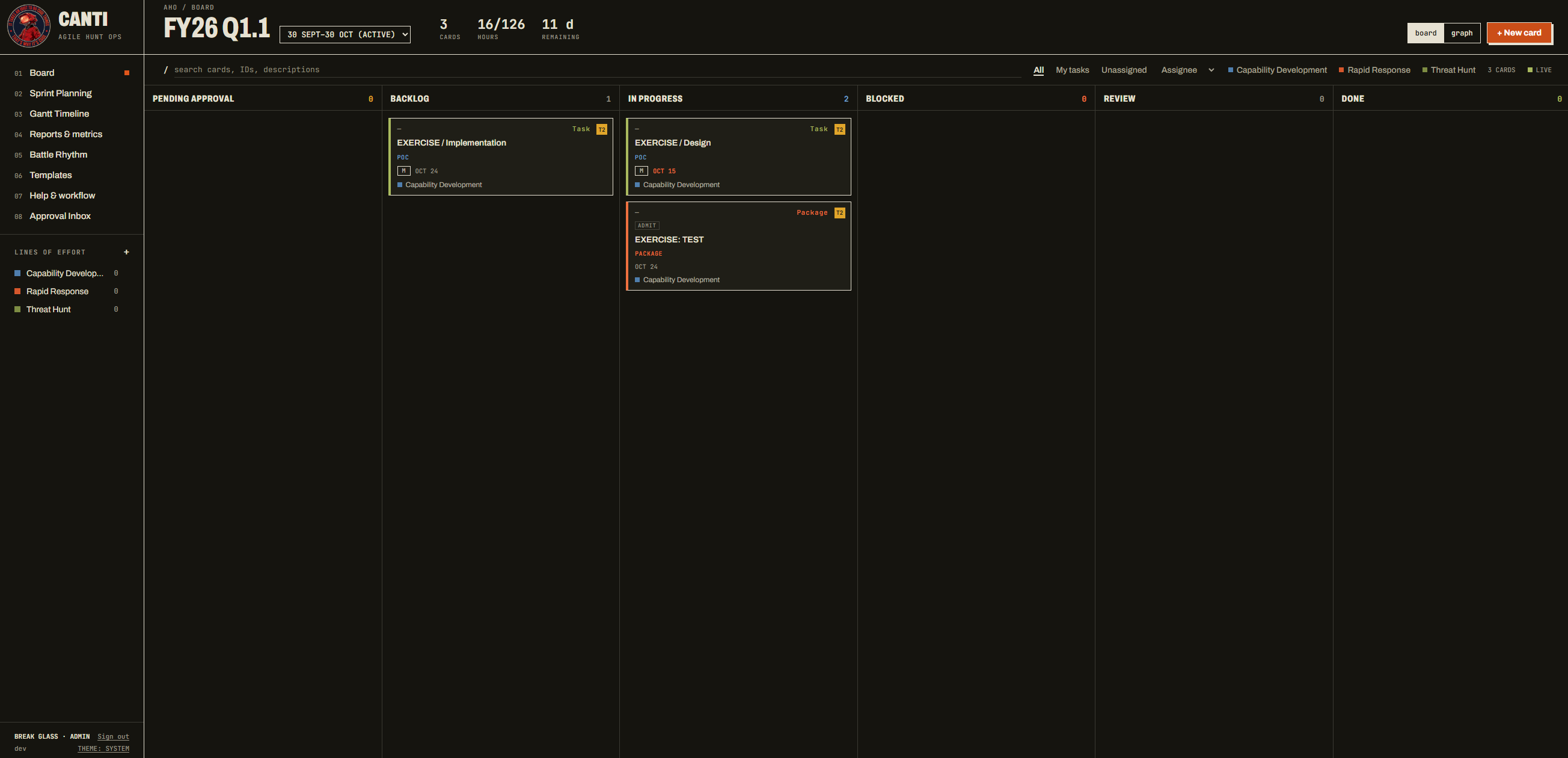
AHO is a containerized work-management tool for a cyber threat hunt team. It’s Kanban and sprint planning with the team’s own concepts built in.
What it does:
Planning
- Kanban board and sprint planning
- Lines of Effort, hunt card types and reusable package templates
- Gantt timeline and a battle-rhythm calendar
Approvals and Capacity
- T1 work runs pre-authorized; T2/T3 goes through an Approval Inbox with SLA tracking and escalation
- Per-member sprint capacity that knows about leave, travel and holidays
- Shared-card allocation and an over-capacity check
Reporting
- Sprint health, LOE capacity, approval flow, aging and risk
- CSV export and print / save as PDF
- Real-time updates as teammates make changes
The Card Is the Record
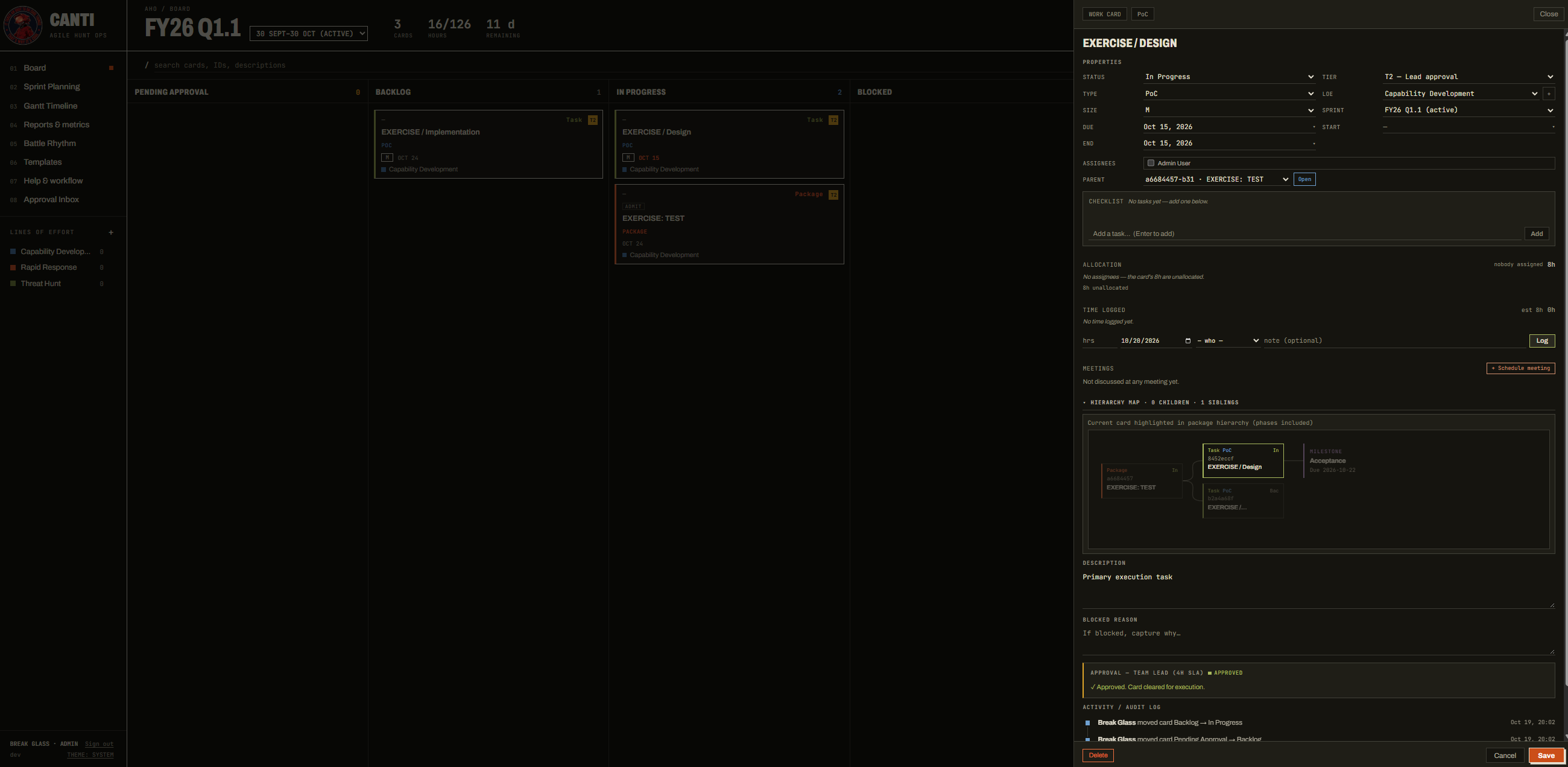
Every card holds its full history in one place. That includes its approval tier, LOE, sprint and size, along with a checklist, hour allocation across assignees, logged time and linked meetings. A hierarchy map shows where the card sits in its package. The approval decision and an activity / audit log sit at the bottom, so the history that used to vanish with the whiteboard stays with the work.
Templates for Repeatable Work
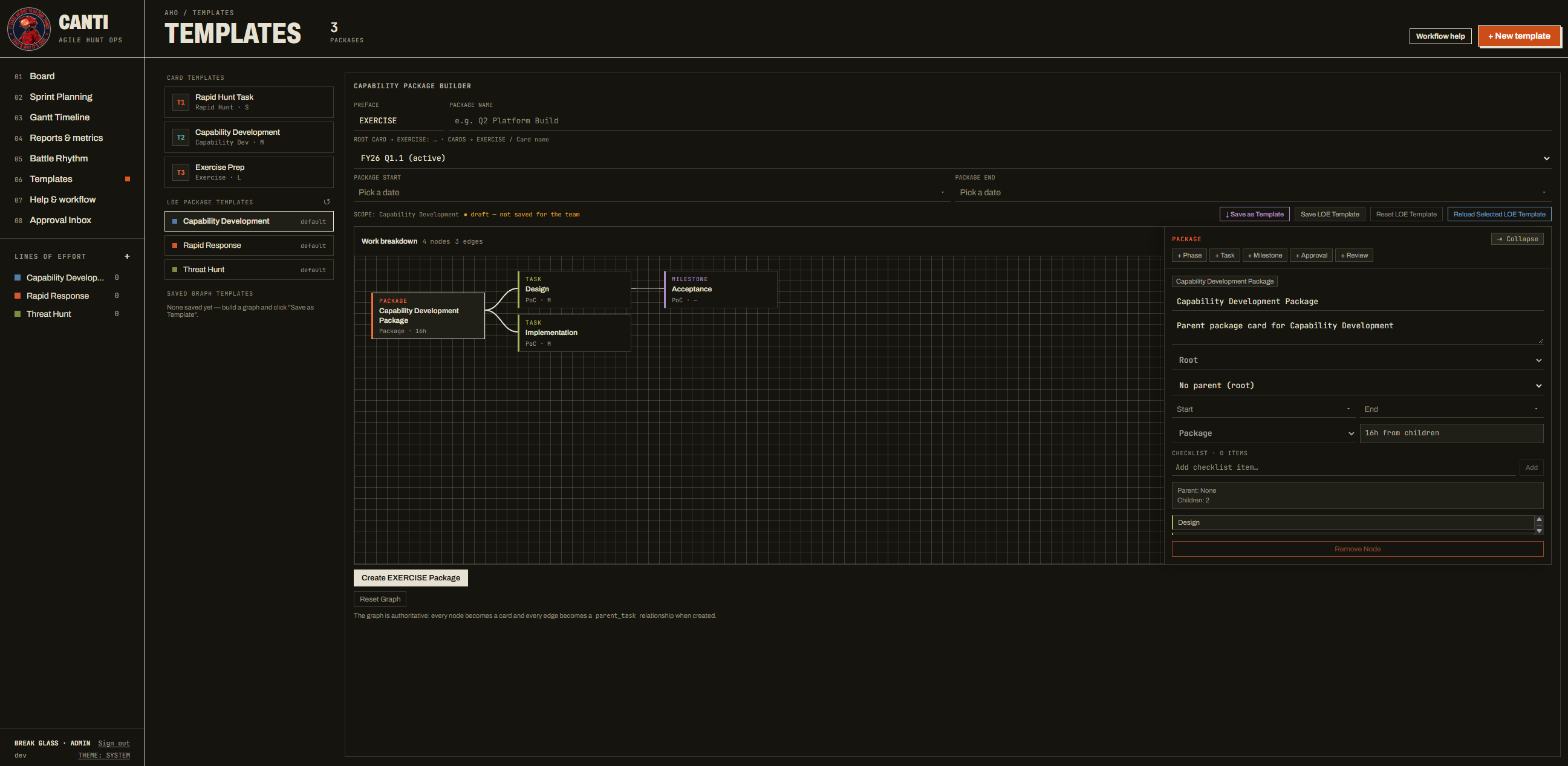
Most hunt work follows patterns. The package builder lets you draw the work breakdown once (package, phases, tasks, milestones, approvals and reviews), save it as a template, and stamp it out again. Every node becomes a card and every edge becomes a parent relationship. Card templates cover the smaller, everyday items at each approval tier.
Reporting Without the Rebuild
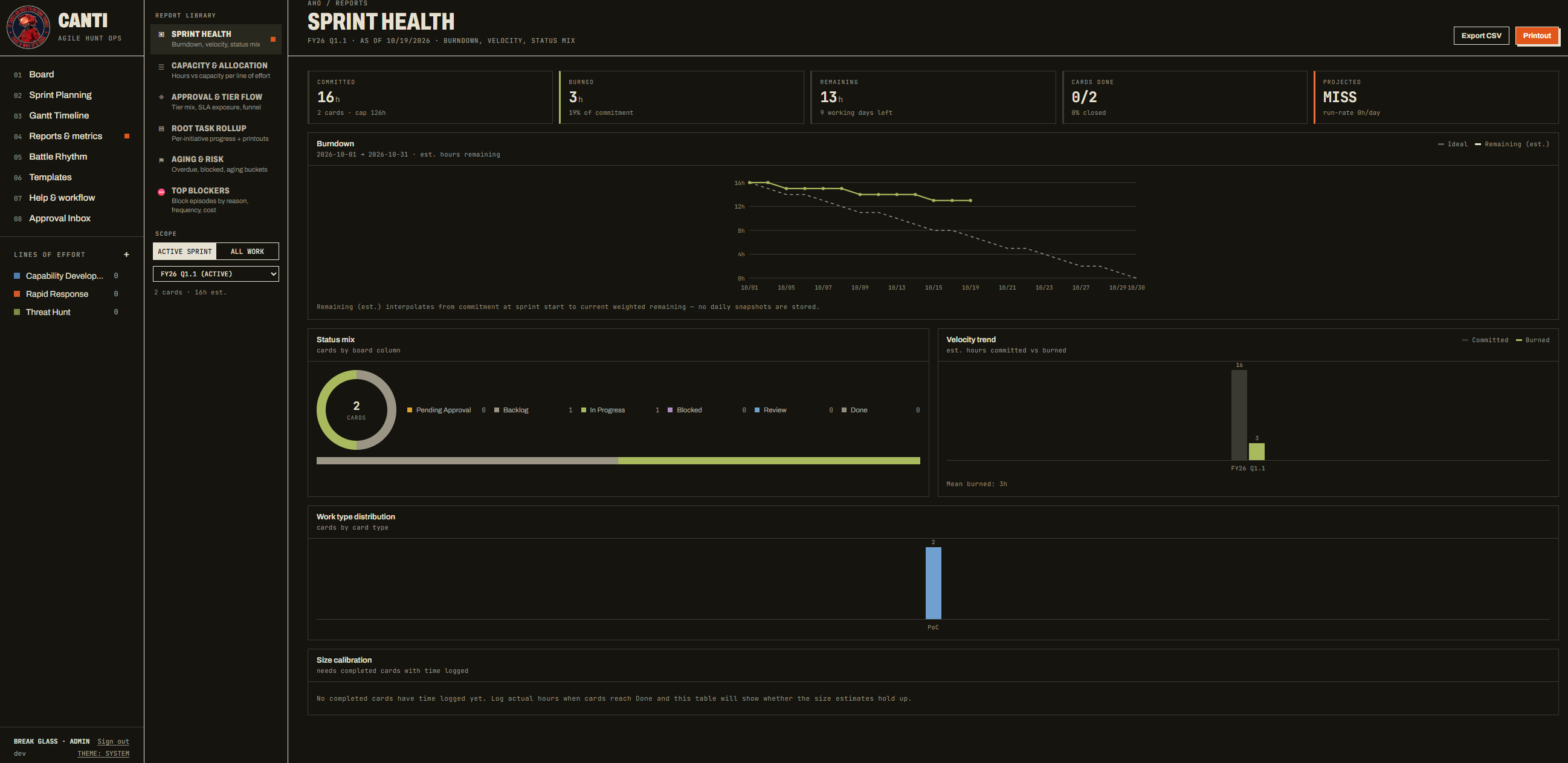
Reports come straight from the board, so there’s no export-and-chart routine before a leadership update. Sprint Health shows committed versus burned hours, a burndown, status mix, velocity trend and size calibration. Separate reports cover capacity and allocation, approval and tier flow, aging and risk, and top blockers. Any report exports to CSV or prints to PDF.
Why Not Jira?
Jira and its competitors are good products, and for a lot of teams they’re the right answer. They weren’t for me:
| Need | Commercial tooling | AHO |
|---|---|---|
| Cost | Per-seat licensing | Free, MIT-licensed |
| Hosting | Cloud-first; self-hosting is a heavier lift | One Docker Compose stack on one Linux host |
| Closed networks | Usually needs internet or an internal mirror | One-file offline bundle |
| Hunt concepts | Custom fields, workflows and plugins | Built in |
| Sign-in | Vendor accounts or extra configuration | Keycloak SSO with optional LDAP / AD |
The goal was never to replace Jira for everyone. I wanted something a hunt team could own end to end.
Architecture
The whole stack runs as one Docker Compose project. Every piece is open-source, and there’s nothing I’d have to maintain a fork of.
  Browser ──HTTPS──► Traefik (TLS, routing, WebSocket upgrade)
                       ├─ <APP_DOMAIN>            → Frontend   React SPA on nginx
                       ├─ api.<APP_DOMAIN>        → Directus REST / WebSocket API
                       └─ keycloak.<APP_DOMAIN>   → Keycloak (OIDC SSO, roles)

  PostgreSQL   the app's database and Keycloak's
  Redis        Directus cache and queue
  user-sync    sidecar: mirrors Keycloak users into Directus, ticks approval SLAs
A few choices were deliberate:
- Directus for the API. It gives a typed REST and WebSocket API over PostgreSQL without me writing a backend from scratch, and the WebSockets are what make the board update live.
- Keycloak for identity. Most organizations already have Active Directory, and Keycloak can federate with it instead of adding yet another set of passwords.
- SOPS + age for settings. Configuration is stored encrypted, so it can live alongside the deployment without exposing secrets.
Deploy
“Simple to deploy” was a requirement from day one. If the setup needs a dedicated admin, the team won’t adopt it. On a Linux host or WSL2:
bash deploy/scripts/install-deps.sh          # docker, sops, age, …
mkdir -p ~/.config/sops/age && age-keygen -o ~/.config/sops/age/analyst.key
cp deploy/.env.example deploy/.env           # set APP_DOMAIN and every CHANGE_ME_ value
bash deploy/scripts/encrypt-env.sh           # → deploy/.env.sops
bash deploy/scripts/decrypt-and-deploy.sh    # the one-command deploy (re-run to update)
After first-time setup, decrypt-and-deploy.sh is the only command you need. It stands up the stack, and re-running it applies an update. Then trust the generated CA certificate, point the three hostnames at the host, and sign in.
Your Name, Your Logo
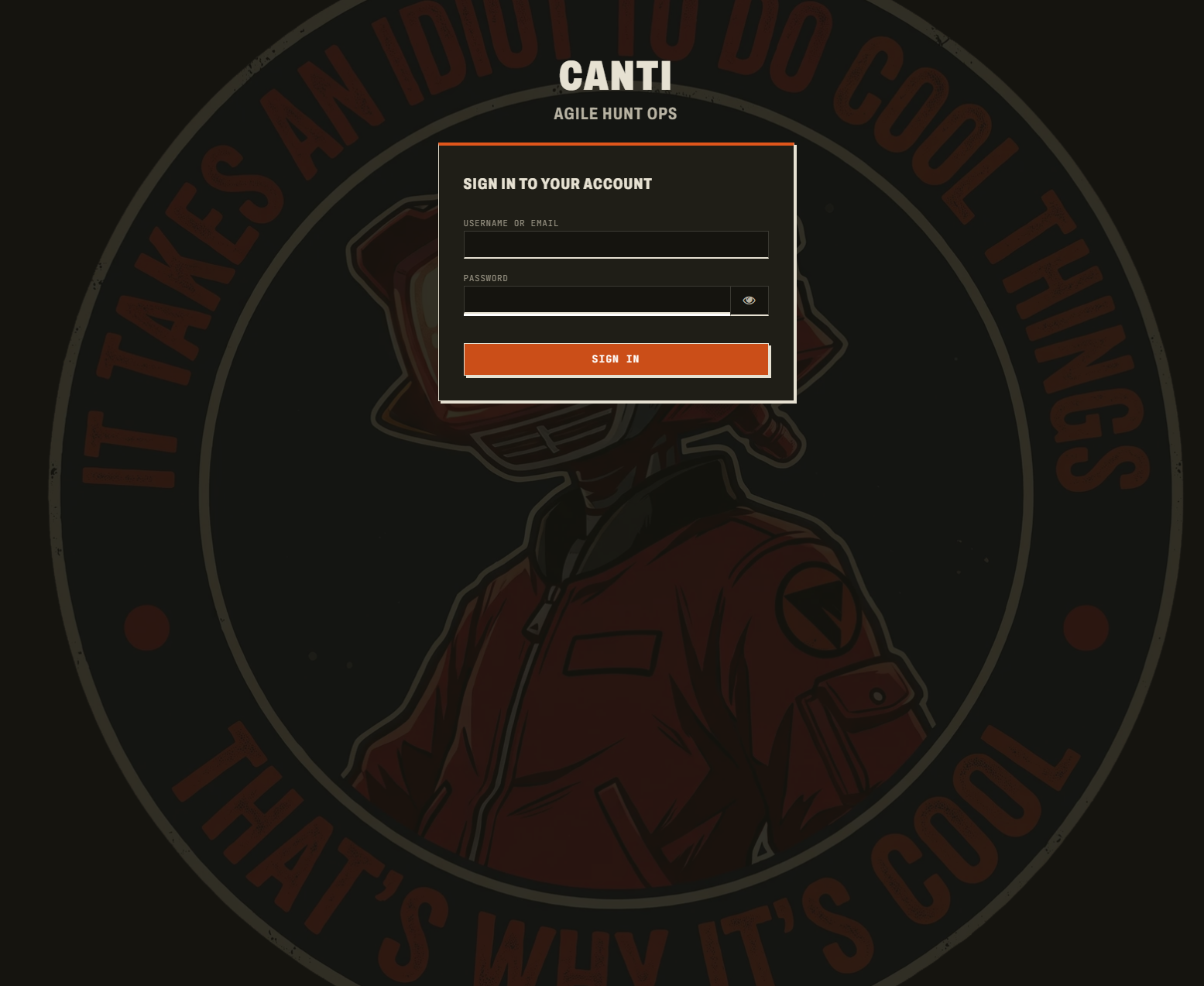
Sign-in runs through Keycloak with a login theme that matches the app. The app name and logo come from your settings, so each site carries its own branding without code changes.
✓ Tip
For air-gapped networks, build an offline release bundle on a connected machine. It's a single file with every image and tool included, so you can carry it across and deploy without internet access.
Upgrades are guarded as well. aho-upgrade.sh snapshots the data volumes before moving a site to a new release and rolls back automatically if the upgrade fails. It can also export a site and import it on a new host.
ℹ Info
The full walk-through covers first-time key setup, air-gapped hosts and Windows clients. It's in the deployment guide.
What’s Next
The foundation is done: board, sprints, approvals, calendar, capacity, reporting, SSO / LDAP, offline bundles and guarded upgrades. Here’s what’s next on the roadmap:
- Configurable board columns with WIP limits, mapped to the built-in statuses so approvals and reports keep working
- Saved and personal board views, including swimlanes and a “My work” view
- Comments and @mentions on cards
- Hunt-specific fields: hypothesis, MITRE ATT&CK techniques with an offline picker, and hunt outcomes, building toward an ATT&CK coverage report
Conclusion
AHO started as a fix for my own planning headaches. It’s now a tool any hunt team can stand up in an afternoon, on whatever network they’re on, without a purchase request. Building it was also a good exercise in thinking like the operator and the admin: every feature had to make sense to the analyst using it and to the person who has to deploy and upgrade it.
If you run a hunt team, or any small ops team that’s outgrown spreadsheets, give it a try. Issues, feature requests and merge requests are all welcome.
Resources
- Project repo: Agile Hunt Ops on GitLab
- Deployment guide
- Roadmap
- Built on: Directus, Keycloak, Traefik, PostgreSQL, SOPS, age